
Introduction
Airports are among the most complex transportation environments in the world. Every day, they manage thousands of passengers, airline operations, flight movements, security procedures, baggage handling activities, retail services, and ground transportation requirements. To coordinate these activities efficiently, airports depend on clear, timely, and reliable communication systems. Airport digital signage has become an essential part of this communication infrastructure.
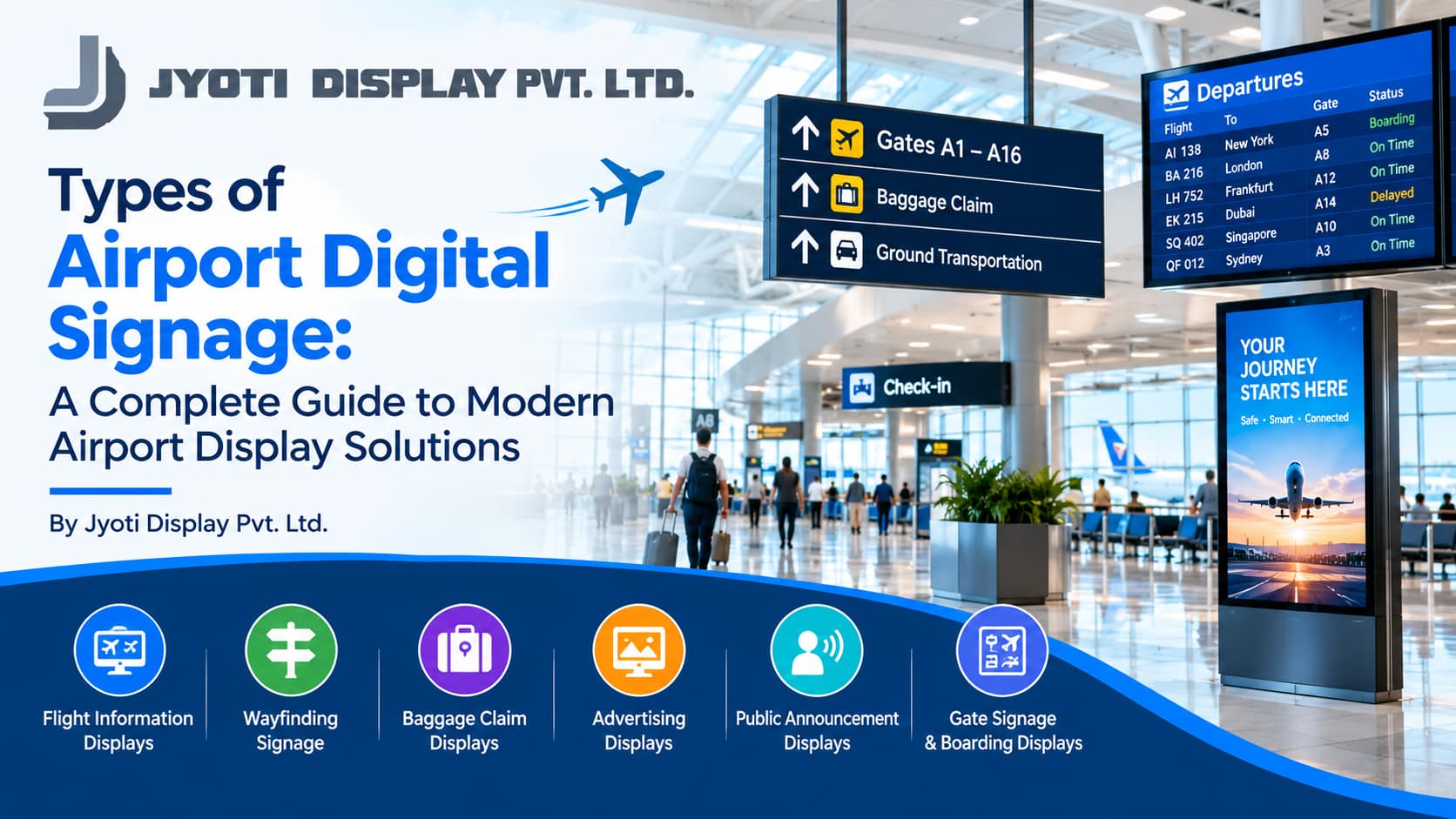
Airport digital signage refers to electronic display systems used to communicate flight information, boarding instructions, terminal directions, security announcements, baggage collection details, emergency messages, advertisements, and other important information. These displays use technologies such as LCD screens, LED displays, interactive kiosks, video walls, and networked digital information boards to deliver content across airport terminals and surrounding facilities.
Unlike traditional printed signs, digital signage can be updated remotely, scheduled according to operational requirements, and distributed across multiple locations. This flexibility makes it particularly valuable in airports, where flight schedules, gate assignments, passenger flows, and service announcements can change throughout the day.
The manufacturing of airport digital signage involves several important considerations, including display technology, screen dimensions, brightness, enclosure design, mounting systems, software compatibility, network connectivity, and environmental durability. In addition, airport displays must be designed around passenger accessibility, operational reliability, security requirements, and the communication needs of different airport departments.
Jyoti Display Pvt. Ltd. focuses on digital display and signage solutions for commercial and institutional environments. Understanding the different types of airport digital signage helps airport operators, infrastructure developers, airlines, terminal designers, and advertising companies select suitable display solutions for their specific applications.
This comprehensive guide explores the major types of airport digital signage, their applications, manufacturing considerations, advantages, emerging technologies, and the factors involved in selecting appropriate airport display systems.
1. Understanding Airport Digital Signage Manufacturing
Airport digital signage manufacturing is the process of designing and producing electronic display systems for airport communication, navigation, advertising, and operational information.
A complete airport signage solution may consist of display panels, electronic controllers, media players, protective enclosures, mounting structures, content management software, network connections, and integration with authorised information systems.
The exact configuration depends on the application. A flight information display board has different requirements from an outdoor LED advertising screen, an interactive wayfinding kiosk, or a large-format video wall in an international terminal.
1.1 Requirement analysis
The manufacturing process begins with identifying the intended application and installation environment.
Important questions include:
- Where will the display be installed?
- How far away will passengers view the screen?
- What type of information will be displayed?
- How frequently will the information change?
- Will the screen operate continuously?
- Is the installation indoors or outdoors?
- Does the system require integration with airport or airline software?
- What accessibility and safety requirements apply?
These questions help determine the appropriate screen size, display technology, enclosure, mounting arrangement, and software configuration.
1.2 Display technology selection
Different airport applications require different display technologies.
LCD displays are widely used for flight information, passenger guidance, service announcements, and advertising screens. LED displays are suitable for large-format installations, prominent terminal advertising, and outdoor applications when correctly specified.
Touchscreen displays support interactive directories and information kiosks, while specialised high-brightness displays are useful in areas exposed to strong ambient light.
1.3 Mechanical and enclosure design
Airport displays are installed in a variety of environments, from climate-controlled lounges to busy public entrances and outdoor roadways.
Manufacturing may involve metal enclosures, secure mounting hardware, protective front surfaces, cable management, ventilation, and access panels for maintenance.
The design should also consider passenger circulation, physical protection, cleaning requirements, and access for authorised technicians.
1.4 Software and information integration
Digital signage software enables authorised personnel to publish, schedule, and manage content across multiple displays.
Depending on the application, systems may connect to flight information platforms, airline operational systems, baggage information services, airport directories, or advertising management software.
Operational displays must use appropriately authorised and reliable information sources. General-purpose advertising software should not be assumed to provide the data accuracy or integration capabilities required for official flight information.
1.5 Quality assurance and deployment
Before installation, airport display systems should be evaluated for readability, brightness, image quality, connectivity, thermal performance, structural stability, and software compatibility.
Where displays support operational or safety-related functions, additional testing and approval may be necessary.
A well-designed airport digital signage solution combines suitable hardware, reliable information, clear content, secure connectivity, and appropriate maintenance arrangements.
2. Flight Information Display Systems (FIDS)
Flight Information Display Systems, commonly known as FIDS, are among the most important types of airport digital signage. They provide passengers with information about arriving and departing flights.
These displays are typically installed in terminal entrances, check-in halls, departure lounges, arrival areas, transfer zones, and other locations where passengers need current flight information.
Information displayed on FIDS
- Flight numbers
- Airline names or identifiers
- Destination and origin airports
- Scheduled departure and arrival times
- Estimated times, where available
- Check-in counter assignments
- Boarding gate information
- Boarding status
- Flight delays and cancellations
- Baggage belt assignments for arriving flights
The precise information depends on the airport’s operational systems and the display’s intended purpose.
Types of flight information displays
Departure information boards: Present information about flights leaving the airport.
Arrival information boards: Show incoming flights and their operational status.
Gate information displays: Communicate the flight associated with a specific boarding gate.
Check-in information screens: Direct passengers towards the relevant airline check-in counters.
Transfer information displays: Help connecting passengers identify flight details and relevant transfer information.
Manufacturing considerations
FIDS displays must provide excellent readability from the expected viewing distance. Font size, contrast, screen resolution, viewing angle, and information density all influence how quickly passengers can identify their flights.
Large departure boards may require several rows and columns of information, whereas gate displays can use larger text for one or a small number of flights.
Screen orientation, mounting height, ambient lighting, and the amount of information presented simultaneously should be evaluated during design.
Benefits of FIDS
Flight information displays help passengers monitor their journeys and reduce uncertainty about flight schedules and gate assignments. They also provide airport operators with a central communication channel for flight-related information.
For manufacturing companies and airport infrastructure planners, FIDS is a specialised category that requires careful attention to data integration, uptime expectations, readability, and operational procedures.
3. Airport Departure Digital Signage
Departure digital signage guides passengers through the process of leaving the airport, from terminal entry and check-in to security, immigration where applicable, and boarding.
These displays are particularly important in large airports with multiple terminals, airlines, departure zones, and international travel procedures.
Common applications
- Departure hall information
- Airline check-in counter locations
- Bag-drop instructions
- Security checkpoint directions
- Immigration guidance
- Boarding gate information
- Boarding announcements
- Departure lounge service information
Manufacturing and design requirements
Departure signage should be positioned at decision points where passengers need to determine their next action.
For example, an entrance display may identify check-in zones, while a screen above a bank of counters may identify the airlines or flight services assigned to that area.
The display should present essential information prominently and avoid excessive visual clutter. When the information changes frequently, the content management system must support timely updates from authorised sources.
Advantages
Departure signage helps passengers follow airport procedures and locate the correct service areas. It can also support airport staff by making routine information more visible.
A coordinated departure signage network should complement fixed directional signs and announcements rather than rely exclusively on electronic screens.
4. Airport Arrival Digital Signage
Arrival signage helps passengers and visitors navigate the airport after a flight lands. It supports arriving travellers as they move towards immigration, baggage reclaim, customs, airport exits, and onward transportation.
Types of arrival displays
Arrival flight boards: Show incoming flight information and status.
Immigration guidance screens: Communicate approved instructions for passengers arriving from international destinations.
Baggage reclaim displays: Identify baggage belts and provide relevant flight information.
Customs direction displays: Guide passengers towards the appropriate customs areas.
Airport exit information screens: Provide directions to public exits, meeting points, and onward transport.
Manufacturing considerations
Arrival areas may experience heavy passenger movement, making screen placement especially important. Displays should be visible from common walking routes and should not obstruct circulation or emergency access.
Where several flights arrive close together, the information layout must be easy to scan. Language selection and universally recognisable symbols can improve comprehension for international travellers.
Benefits
Arrival signage improves the passenger experience by helping people understand where to go after landing. It also supports airport operations by distributing consistent information across terminal areas.
5. Airport Wayfinding Digital Signage
Wayfinding signage helps passengers navigate complex airport buildings. Large terminals may contain multiple concourses, boarding gates, check-in zones, security checkpoints, immigration areas, lounges, retail spaces, and transportation facilities.
Digital wayfinding combines electronic displays, directional arrows, maps, symbols, floor information, and destination labels to guide passengers towards their intended locations.
Major types of airport wayfinding displays
Directional displays: Show arrows and destinations such as gates, security, immigration, baggage reclaim, and exits.
Terminal directory displays: Present an overview of airport facilities and services.
Interactive wayfinding kiosks: Allow passengers to search for a gate, airline counter, restaurant, lounge, or other facility.
Concourse information screens: Guide passengers through terminal corridors and connecting areas.
Transfer guidance displays: Help connecting passengers identify the route towards transfer desks, security screening, and departure gates.
Manufacturing considerations
Airport wayfinding screens must support fast comprehension. Clear arrows, consistent symbols, strong contrast, readable text, and logical information hierarchy are essential.
Interactive kiosks should provide intuitive navigation and accommodate different users, including people with limited mobility or those unfamiliar with digital interfaces.
For international airports, multilingual support may be necessary. The content system must also reflect the actual terminal layout, including temporary closures and route changes.
Advantages
Digital wayfinding can reduce passenger confusion, improve navigation through large terminals, and make it easier to communicate temporary changes.
It works best when integrated with permanent airport signage, accessible routes, and consistent naming conventions across the terminal.
6. Airport Check-In Counter Digital Signage
Check-in counter displays help passengers identify the appropriate airline desk, flight service, or baggage drop-off point.
Airports frequently allocate counters according to airline schedules and operational needs. Digital displays make it possible to update counter assignments without replacing physical signs.
Applications
- Airline identification
- Flight number and destination information
- Check-in opening and closing information
- Bag-drop counter identification
- Premium and priority check-in guidance
- Self-service check-in instructions
- Temporary counter changes
Manufacturing requirements
Counter displays may use compact LCD screens, narrow-format displays, or larger screens positioned above groups of counters.
The display should be readable from the passenger approach area. Its dimensions and mounting height should reflect the distance between the screen and the queue.
For high-volume terminals, the system should support rapid updates from authorised operational sources. The information displayed must match the airport’s current counter allocation.
Benefits
Digital check-in signage helps passengers locate the correct airline service and reduces confusion when counter assignments change.
It can also support more flexible terminal operations because the same display hardware may be used for different airlines or services at different times.
7. Airport Boarding Gate Digital Signage
Boarding gate displays communicate flight details and boarding instructions at the point where passengers prepare to board an aircraft.
These displays are important because passengers may need to confirm their flight, destination, gate, boarding time, and current status.
Common information
- Flight number
- Destination
- Airline name
- Boarding status
- Boarding group or zone, where applicable
- Gate assignment
- Boarding time
- Approved gate-change announcements
Manufacturing considerations
Gate displays should prioritise legibility and accurate information. Screen brightness, viewing angle, font size, and mounting position should allow passengers waiting near the gate to read the information comfortably.
Where a gate handles multiple flights at different times, the display system should support controlled content changes and clear identification of the active flight.
The operational software must receive updates from the appropriate airport or airline systems. Manual fallback procedures should be defined for situations in which the normal information feed becomes unavailable.
Benefits
Boarding gate signage provides passengers with timely information and helps airline and airport personnel communicate gate-specific instructions.
Because gate information can change, accuracy and dependable update procedures are especially important.
8. Airport Baggage Claim Digital Signage
Baggage claim signage helps arriving passengers identify the correct baggage reclaim belt and understand the next stage of their journey.
In busy airports, multiple flights may use different belts within the same baggage reclaim hall. Digital displays make this information easier to distribute and update.
Applications
- Flight-to-belt assignments
- Baggage reclaim directions
- Arrival flight information
- Oversized baggage collection instructions
- Baggage service desk directions
- Temporary belt changes
- General baggage handling announcements
Manufacturing considerations
Baggage reclaim displays should be visible from passenger walking routes and waiting areas. The screen layout must clearly associate each flight with the correct belt.
The display system should integrate with the airport’s authorised baggage information source when live assignments are required.
Mounting and enclosure design must suit the physical environment, including the expected passenger volume, lighting, and maintenance requirements.
Advantages
Baggage reclaim signage helps passengers find the correct belt and reduces uncertainty after arrival. It can also make it easier for airport staff to communicate temporary operational changes.
9. Airport Security and Immigration Information Displays
Security checkpoints and immigration areas require clear communication because passengers must follow specific procedures before continuing their journey.
Digital signage can display approved instructions about screening, document preparation, queue directions, and passenger movement.
Common applications
- Security checkpoint directions
- Screening preparation instructions
- Information about prohibited items
- Document readiness reminders
- Immigration queue guidance
- Directions for eligible passenger categories
- Temporary checkpoint or lane changes
Manufacturing considerations
Displays should be placed where passengers can read instructions before reaching the relevant checkpoint. This allows travellers to prepare and follow procedures with fewer interruptions.
Content should be concise, consistent with official airport instructions, and reviewed by the appropriate operational authority.
In areas with high passenger volumes, screen brightness, viewing angle, and text size must be appropriate for the environment.
Benefits
Security and immigration signage helps communicate procedures consistently and can reduce confusion caused by unclear or outdated notices.
Digital signage must not replace official instructions, authorised security procedures, or required physical safety signs.
10. Airport LED Video Walls
LED video walls are large-format digital display systems constructed from multiple LED modules or panels. They are used in airport terminal lobbies, central halls, advertising areas, passenger waiting zones, and other locations where a large visual surface is required.
Applications
- Airport branding
- Large-format advertising
- Welcome messages
- Tourism promotions
- Public information campaigns
- Special event communication
- Airport announcements
- Institutional presentations
Types of LED video walls
Indoor LED video walls: Designed for terminal interiors and other protected environments.
Fine-pitch LED walls: Suitable for viewing at relatively short distances, depending on the selected pixel pitch.
Large-format LED displays: Used where audiences view content from farther away.
Outdoor LED displays: Designed for external installations and specified for relevant weather and sunlight conditions.
Manufacturing considerations
The selection of LED pitch should reflect viewing distance, required image detail, screen dimensions, and content type.
Manufacturers and project planners should evaluate brightness, colour consistency, heat dissipation, structural support, controller compatibility, electrical distribution, and maintenance access.
Modular construction can simplify maintenance because individual components may be serviced or replaced without replacing the entire display wall.
Advantages
LED video walls provide a large, prominent communication surface and can create a strong visual identity for airports.
They are particularly suitable for branding and advertising applications, although official operational information should remain clearly distinguishable from promotional content.
11. Airport Digital Advertising Displays
Airport advertising displays allow brands to communicate with passengers, visitors, airline customers, and other audiences moving through the terminal.
Airports provide a distinctive advertising environment because travellers may spend extended periods at check-in counters, security checkpoints, departure lounges, baggage reclaim areas, and retail zones.
Types of airport advertising displays
LCD advertising screens: Used for promotional content, campaigns, and announcements.
LED advertising walls: Suitable for large-format advertising in prominent terminal areas.
Portrait digital displays: Often installed in corridors, retail areas, and passenger waiting zones.
Landscape displays: Commonly used in lounges, information areas, and larger public spaces.
Digital advertising kiosks: Combine promotional content with approved informational functions.
Networked advertising displays: Allow campaigns to be scheduled across several locations.
Manufacturing considerations
The display must be selected according to the advertising location, expected viewing distance, lighting, operating schedule, and content format.
A screen installed near a bright terminal entrance may require different brightness characteristics from a display in an indoor lounge.
The advertising management platform should support scheduling, content approval, playback verification, and campaign reporting where those features are required.
Benefits
Digital advertising displays allow airport advertising operators to update campaigns more efficiently than with many traditional printed formats. They can also support different campaigns at different times and locations.
Airport advertising should be managed so that promotional material does not obscure flight information, directional instructions, or safety messages.
12. Airport Retail and Shopping Area Digital Signage
Airports often contain duty-free shops, restaurants, cafes, travel accessory stores, convenience outlets, and other commercial spaces.
Retail digital signage helps airport businesses communicate products, promotions, menus, services, and brand messages.
Applications
- Retail promotional screens
- Duty-free advertising
- Restaurant menu boards
- Cafe menu displays
- Store directory screens
- Promotional LED displays
- Seasonal campaigns
- Brand storytelling displays
Manufacturing requirements
Retail displays should match the shop’s physical layout and viewing conditions. High-traffic areas may require secure mounting and equipment designed for extended operation.
The display format should suit the content. Menu boards need clear text and prices, while brand-focused video walls may prioritise visual presentation.
Content management should allow authorised retailers to update their own campaigns without affecting official airport information screens.
Benefits
Retail digital signage creates flexible promotional opportunities and helps businesses communicate current offers and services.
For airport operators, coordinated retail signage can contribute to the commercial appearance of the terminal while maintaining clear passenger navigation.
13. Airport Interactive Wayfinding Kiosks
Interactive wayfinding kiosks allow passengers to search for locations and obtain directions through a touchscreen interface.
They are especially useful in large airports where travellers may need to locate boarding gates, airline counters, lounges, restaurants, restrooms, prayer rooms, medical facilities, or transportation services.
Common kiosk functions
- Search for airport facilities
- Locate gates and airline counters
- View terminal maps
- Find restaurants and retail stores
- Identify lounges and passenger services
- Obtain directions to connecting flights
- View accessible routes where supported
Manufacturing considerations
An interactive kiosk typically consists of a display, touchscreen, computing hardware, enclosure, mounting structure, and compatible software.
Its design should support public use, secure internal components, allow maintenance access, and provide adequate ventilation.
Accessibility should be considered through suitable screen height, readable content, clear navigation, and alternatives for users who cannot comfortably operate a touchscreen.
Benefits
Interactive kiosks can provide passengers with self-service access to location information and reduce the need to ask staff for routine directions.
Their effectiveness depends on accurate maps, clear interfaces, reliable software, and regular content updates.
14. Airport Outdoor Digital Signage
Outdoor digital signage helps passengers and visitors navigate the airport before entering the terminal. It is commonly used near access roads, parking facilities, terminal entrances, transport areas, and airport campus boundaries.
Types of outdoor airport displays
Entrance identification displays: Identify terminals and major airport facilities.
Roadside LED displays: Communicate approved airport announcements and directional information.
Parking guidance displays: Help drivers locate parking areas and relevant services.
Transportation information displays: Provide directions to taxi stands, buses, rail connections, and other transport services.
Outdoor advertising displays: Present commercial campaigns in suitable locations.
Manufacturing considerations
Outdoor signage requires careful assessment of sunlight, rainfall, dust, wind, temperature variation, and other environmental factors.
Enclosures should be specified for the actual exposure conditions. Weather protection, corrosion resistance, drainage, ventilation, structural support, and electrical safety must be considered during design.
High-brightness screens may be required for direct sunlight, while automatic brightness control can help manage nighttime visibility and energy use.
Benefits
Outdoor digital signage improves airport visibility and can help passengers locate the correct terminal entrance, parking area, or transportation facility.
It is particularly useful in large airport campuses where roads, terminals, parking areas, and transport connections are spread across a wide area.
15. Airport Parking Digital Signage
Airport parking facilities serve passengers, employees, visitors, taxis, buses, and commercial transport operators. Digital signage can help drivers understand where to park and which routes to follow.
Applications
- Parking zone identification
- Entry and exit directions
- Parking availability information
- Short-term and long-term parking guidance
- Reserved parking information
- Accessible parking directions
- Payment and exit instructions
Manufacturing considerations
Parking displays may be installed outdoors, in covered parking areas, or near entry barriers. The selected equipment should suit the lighting and environmental conditions.
Where displays show real-time parking availability, the system must connect to a compatible parking management platform and use accurate occupancy data.
The mounting position and text size should allow drivers to understand the information safely without unnecessary distraction.
Benefits
Parking signage can improve traffic flow, reduce uncertainty, and help drivers locate the correct parking area.
It works best when combined with clear road markings, fixed directional signs, and an appropriately designed parking management system.
16. Airport Transportation and Ground Mobility Displays
Passengers need reliable information about onward transportation after arriving at the airport. Digital signage can help them locate taxis, app-based pickup points, airport buses, rail stations, rental car services, and other ground transportation facilities.
Types of transportation displays
- Taxi stand information screens
- Bus departure boards
- Airport shuttle information displays
- Rail connection directories
- Rental car service directions
- Pickup and drop-off zone displays
- General ground transportation maps
Manufacturing considerations
The display’s location should reflect where passengers make transportation decisions. For example, an arrival hall display may provide an overview of available transport options, while a screen near a bus stand may show route-specific information.
Outdoor installations require suitable weather protection and brightness. Displays showing departure times should connect to an authorised data source when live updates are required.
Benefits
Ground transportation signage helps passengers understand their options and find the correct pickup or departure location.
It can also reduce confusion around designated meeting points and transportation zones.
17. Airport Lounge Digital Signage
Airport lounges serve business travellers, premium passengers, airline members, and other eligible users. Digital signage can communicate lounge services, opening hours, dining information, meeting facilities, and general announcements.
Applications
- Lounge entrance identification
- Lounge service directories
- Food and beverage information
- Business centre directions
- Meeting room availability
- Service announcements
- General passenger information
Manufacturing considerations
Lounges often require displays that blend with their interior design. Screen brightness, mounting arrangements, bezel appearance, and content layout should suit the environment.
Compact displays may be sufficient for service information, while larger screens may be appropriate for shared lounge spaces.
Benefits
Lounge digital signage makes service information easier to update and can help passengers identify available facilities.
The content should remain useful and unobtrusive, especially in quiet areas intended for rest or work.
18. Airport Restaurant and Food Court Digital Signage
Airport restaurants and food courts use digital signage to communicate menus, prices, promotions, service counters, and operating hours.
Because passengers often have limited time before boarding, clear menu information can help them make quicker decisions.
Types of restaurant displays
- Digital menu boards
- Food counter identification screens
- Promotional displays
- Order collection screens
- Restaurant directory displays
- Food court wayfinding screens
Manufacturing considerations
Screens should be selected according to the restaurant’s lighting, viewing distance, kitchen environment, and expected operating schedule.
Displays installed near food preparation areas may require additional protection from heat, steam, grease, and moisture.
The content management system should support quick menu changes and allow authorised staff to verify prices, product availability, and promotional details.
Benefits
Digital menu boards help airport food outlets update menus efficiently and present information in a consistent format.
They can also support multiple languages and communicate service information to passengers from different countries.
19. Airport Emergency and Safety Digital Signage
Airport safety communication requires clear, coordinated, and dependable messaging. Digital displays can support approved announcements about operational changes, restricted areas, temporary closures, and emergency instructions.
Applications
- Emergency exit directions
- Temporary route changes
- Terminal closure notices
- Security-related instructions
- Severe weather announcements
- Restricted-area notices
- Approved evacuation information
Manufacturing and system requirements
Safety-related displays should be designed around the airport’s established emergency procedures. Where priority messaging is supported, authorised personnel should be able to publish urgent information through a controlled process.
The system should be tested for network interruptions, power failures, and other foreseeable operating problems.
Emergency signage must complement required fixed safety signs, alarms, public address systems, and official airport procedures. Electronic displays should not become the only means of communicating essential safety instructions.
Benefits
Digital signage can distribute consistent operational messages across selected terminal areas and help communicate temporary changes quickly.
The reliability of such systems depends on proper planning, access control, maintenance, and coordination with the airport’s safety management team.
20. Airport Staff Communication Digital Signage
Airport operations involve airline personnel, security teams, maintenance workers, baggage handlers, retail employees, cleaning staff, and administrative departments.
Staff-facing digital signage provides a shared communication channel for authorised internal announcements.
Applications
- Employee notices
- Training schedules
- Workplace safety information
- Staff facility announcements
- Meeting schedules
- Operational awareness messages
- General administrative updates
Manufacturing considerations
Staff displays may be installed in employee break rooms, operational offices, training areas, and restricted-access corridors.
The content management platform should support role-based permissions so that only authorised personnel can publish or change internal information.
Sensitive operational data should be displayed only in approved locations with appropriate access controls.
Benefits
Staff-facing signage can improve the visibility of internal announcements and reduce dependence on printed notices.
For airports with multiple departments and buildings, centralised content management can make routine communication more consistent.
21. Airport Digital Signage for Conferences and Business Centres
Large airports may include conference rooms, business centres, meeting facilities, exhibition areas, and event spaces.
Digital signage can help visitors locate rooms and understand event schedules.
Common applications
- Meeting room identification
- Conference schedules
- Event directories
- Auditorium information
- Business centre service displays
- Exhibition and event promotion
- Temporary event wayfinding
Manufacturing considerations
Small displays may be sufficient for meeting room names and schedules, while large LED walls can support conference presentations and exhibitions.
The selected system should support the required content formats and allow authorised organisers to update schedules without affecting other airport information systems.
Benefits
Conference and business centre signage improves navigation and makes it easier to communicate changing event information.
22. Airport Digital Signage for Accessibility and Inclusive Communication
Accessibility is an essential consideration in airport signage design. Airports serve people with different mobility, vision, hearing, language, and technology-access needs.
Digital signage should support inclusive communication rather than create additional barriers.
Accessible signage features
- Readable text and strong contrast
- Clear arrows and recognisable symbols
- Consistent terminology for destinations
- Multilingual content where appropriate
- Accessible interactive kiosk positioning
- Clear information about lifts and accessible routes
- Alternative ways to obtain assistance
Manufacturing considerations
Display height, viewing angle, text size, screen glare, and the complexity of interactive interfaces can all affect accessibility.
Touchscreen kiosks should be designed so that intended users can reach and operate them comfortably. Where audio is provided, it should not be the only way to access important information.
Digital displays should complement tactile signs, permanent directional signage, audible announcements, and other accessibility provisions required by applicable standards.
Benefits
Inclusive signage helps a broader range of passengers understand airport information and navigate terminals more independently.
Accessibility should be incorporated into the project from the planning stage rather than added only after installation.
23. Airport Digital Signage for International Terminals
International terminals serve passengers who may speak different languages and have varying levels of familiarity with airport procedures.
Digital signage can help present flight information, immigration instructions, transfer directions, and passenger services in a clear and consistent manner.
Applications
- Multilingual departure information
- International arrival directions
- Transfer and connecting flight guidance
- Immigration queue information
- Customs directions
- Currency exchange and passenger service directories
- International lounge and retail information
Manufacturing considerations
The display software should support the character sets and languages required by the airport. Text layouts may need adjustments for different writing systems and longer translations.
Universal symbols can help communicate common destinations, but they should be used consistently and alongside clear text where appropriate.
The content management system should also support controlled translation and review processes to reduce the risk of confusing or inaccurate instructions.
Benefits
Multilingual signage helps international passengers understand information and locate relevant services.
A well-planned language strategy improves consistency throughout the terminal, from arrival and transfer areas to departure gates.
24. Airport Digital Signage for Airport Hotels and Transit Facilities
Some airports include transit hotels, airport hotels, passenger rest facilities, and accommodation services within or near the terminal.
Digital signage can help guests locate rooms, reception desks, restaurants, meeting spaces, and transportation connections.
Applications
- Hotel reception displays
- Room and floor directories
- Restaurant information
- Shuttle service schedules
- Meeting room directories
- Guest service announcements
- Transit passenger guidance
Manufacturing considerations
Displays should suit the interior design and operational needs of the facility. Hotel reception may benefit from a prominent information screen, while corridors and meeting rooms may need compact displays.
Where signage connects to booking or room management software, integration must be evaluated according to the platform’s capabilities and security requirements.
Benefits
Digital signage can help airport hotels communicate services and direct guests towards important facilities.
It also provides a flexible platform for updating transport schedules, meeting information, and guest announcements.
25. Types of Display Technologies Used in Airport Signage Manufacturing
Selecting the appropriate display technology is essential for reliable performance and clear communication.
25.1 LCD digital signage displays
LCD displays are widely used for flight information boards, passenger guidance, check-in counter screens, advertising, and service announcements.
They are available in different sizes and resolutions and can display text, images, video, and compatible digital content.
The appropriate model depends on brightness, viewing distance, operating hours, connectivity, and installation conditions.
25.2 Commercial-grade LCD displays
Commercial displays are designed for business and institutional use. Depending on the model, they may support extended operating schedules, remote management, portrait orientation, and network connectivity.
Airport operators should verify the manufacturer’s specified operating duty cycle and warranty rather than assume that every commercial screen is suitable for continuous operation.
25.3 LED display systems
LED displays use light-emitting diodes to produce images and are often used for large-format digital signage.
They can be configured into different shapes and sizes, making them suitable for prominent airport advertising walls and selected outdoor installations.
The required pixel pitch, brightness, viewing distance, and environmental protection should be assessed for each application.
25.4 Touchscreen displays
Touchscreens support interactive directories, information kiosks, and selected passenger self-service functions.
Their design must account for public use, interface simplicity, cleaning compatibility, and accessibility.
25.5 High-brightness displays
High-brightness displays are useful in areas with strong ambient light, including certain entrance halls and outdoor-facing installations.
Brightness should be matched to the viewing environment to preserve readability while avoiding unnecessary glare.
25.6 Transparent LED displays
Transparent LED systems may be used in selected architectural and retail installations where visibility through the display is desirable.
Their suitability depends on viewing distance, content requirements, environmental conditions, and structural integration.
They are generally a specialised option rather than a universal replacement for conventional passenger information displays.
25.7 Fine-pitch LED displays
Fine-pitch LED displays can provide detailed imagery at relatively close viewing distances.
They may be suitable for premium terminal lobbies, control-room presentation environments, and other applications where image detail is important. Operational use must be assessed separately according to the airport’s requirements.
26. Essential Manufacturing Considerations for Airport Digital Signage
Airport digital signage must be manufactured and configured for the physical and operational conditions of its intended location.
Material selection
Enclosure materials should provide the required structural strength, finish, and environmental durability. Metal enclosures may be appropriate for many commercial installations, while specialised materials or coatings may be necessary in particular environments.
Brightness and readability
The display must remain readable under the expected lighting conditions. Screen size, contrast, font dimensions, viewing distance, and viewing angle should be evaluated together.
Heat management
Displays and electronic components generate heat. Appropriate ventilation, thermal design, and access for maintenance help support reliable operation.
Structural mounting
Wall-mounted, ceiling-mounted, recessed, and floor-standing systems require suitable structural support. Mounting design must account for equipment weight, vibration where relevant, public access, and safe cable routing.
Electrical safety
Power supplies, wiring, grounding, protective devices, and installation methods must meet applicable electrical requirements. Installation should be completed by qualified personnel.
Environmental protection
Outdoor and semi-outdoor displays may need protection against rain, dust, temperature changes, and other environmental conditions. The appropriate enclosure rating should be selected according to the actual exposure.
Maintenance access
Airport displays should be designed so authorised technicians can inspect equipment and replace components without unnecessary disruption.
Service life and operating schedule
The selected hardware should match the intended duty cycle. Displays operating for extended periods require suitable specifications, ventilation, and maintenance planning.
27. Digital Signage Software and Airport System Integration
The effectiveness of airport digital signage depends heavily on its software and information sources.
Content management systems
A content management system allows authorised personnel to create, schedule, approve, and distribute content across multiple screens.
Depending on the platform, administrators may manage separate screen groups for check-in, arrivals, departures, retail, lounges, and advertising.
Flight information integration
Official flight displays may require integration with authorised airport or airline information systems. The integration should support accurate updates and clearly defined procedures for handling missing or delayed data.
Advertising management
Advertising platforms can schedule campaigns, assign content to locations, and record playback information where supported.
Remote monitoring
Remote monitoring can help technical teams identify offline displays, software issues, and selected hardware faults. Remote access should be protected with appropriate authentication and permissions.
Cybersecurity
Connected signage devices should be managed as part of the airport’s technology environment. Important controls include secure network configuration, software updates, access management, and separation from critical systems where required.
Offline operation
Airports should determine which content can continue playing when connectivity is lost. Cached content may support routine announcements, but live operational information may require a functioning connection.
The system should be tested under realistic failure conditions before deployment.
28. Advantages of Airport Digital Signage
Airport digital signage provides several potential benefits when implemented with suitable hardware and well-managed content.
Real-time communication: Compatible systems can display timely updates about flights, gates, baggage belts, and other airport services.
Improved passenger navigation: Digital wayfinding helps passengers locate important destinations throughout the terminal.
Operational flexibility: Counter assignments, advertisements, and routine announcements can be updated without replacing physical boards.
Enhanced passenger experience: Clear information can reduce uncertainty and make airport journeys easier to understand.
Advertising opportunities: Networked screens support flexible commercial campaigns across different airport zones.
Consistent communication: Centralised management can help maintain consistent information across multiple displays.
Multilingual messaging: Supported software can present information in multiple languages.
Reduced printing requirements: Frequently updated content can be managed digitally, potentially reducing paper and replacement work.
Scalable deployment: A signage network can be expanded as terminal facilities grow, provided the system supports the additional devices and infrastructure.
These benefits depend on reliable information, effective content management, suitable equipment, and appropriate maintenance.
29. How to Choose an Airport Digital Signage Manufacturer
Selecting an appropriate manufacturing and integration partner is important for achieving a reliable airport display installation.
Understand the application
Identify whether the requirement involves flight information, advertising, wayfinding, outdoor displays, passenger services, or staff communication.
Review display specifications
Evaluate resolution, brightness, operating schedule, connectivity, mounting options, environmental protection, and warranty conditions.
Assess customisation requirements
Airport projects may require custom enclosures, specialised mounts, large-format LED panels, portrait displays, or integrated kiosks.
The supplier should clarify which configurations are available and which require additional engineering.
Check software compatibility
Confirm that the display system supports the required content formats, screen grouping, remote management, and approved information integrations.
Evaluate installation support
The project should include appropriate site planning, installation coordination, testing, user training, and after-sales service arrangements.
Consider accessibility
Display placement and content should support passengers with different mobility, vision, language, and technology-access needs.
Review lifecycle costs
Total project cost includes hardware, software, installation, networking, energy, content management, maintenance, and replacement.
A suitable solution should balance purchase price with reliability, serviceability, and long-term operational requirements.
30. Why Airport Digital Signage Is Important for Modern Airport Infrastructure
Modern airports must manage the movement of passengers through multiple connected stages. A traveller may enter the terminal, locate a check-in counter, complete security screening, find the departure gate, board a flight, and later navigate baggage reclaim or onward transportation.
At every stage, the passenger needs relevant information. Digital signage makes it possible to distribute that information across strategically selected locations.
For example, an outdoor display may guide a passenger towards the correct terminal. A check-in screen may identify the appropriate counter, while the flight information board provides the current gate assignment. After arrival, baggage reclaim signage can direct the passenger towards the correct belt, and ground transportation displays can explain the available onward travel options.
This journey illustrates why airport signage should be planned as a coordinated communication network rather than a collection of unrelated screens.
Airports should also retain required fixed signage, accessibility provisions, and established safety communication methods. Digital displays are most effective when they complement the wider wayfinding and operational environment.
31. The Role of Jyoti Display Pvt. Ltd. in Airport Digital Signage Solutions
Jyoti Display Pvt. Ltd. focuses on digital display and signage solutions for commercial and institutional environments. Airport signage represents a specialised application where display selection, structural design, content presentation, and installation planning must align with demanding operational requirements.
Different airport applications call for different solutions. A departure information board must prioritise readability and dependable data updates, while an LED advertising wall may focus on large-format visual impact. An interactive wayfinding kiosk requires accessible software and practical public-use hardware.
Potential airport signage project categories include:
- Flight information display screens
- Airport departure and arrival displays
- Digital wayfinding systems
- Check-in counter signage
- Boarding gate displays
- Baggage reclaim information screens
- Airport LED video walls
- Digital advertising displays
- Interactive information kiosks
- Outdoor airport signage
- Parking and transportation information displays
- Airport retail and restaurant screens
- Staff communication displays
The final configuration should be based on the project’s technical requirements, location, operating conditions, approved software integrations, and maintenance expectations.
Airport operators and infrastructure planners should confirm product specifications, installation capabilities, warranty terms, and support arrangements directly with the supplier before selecting a solution.
The objective is to create a clear, dependable, and visually consistent communication environment that supports passenger movement and airport operations.
32. Future Trends in Airport Digital Signage Manufacturing
Airport signage technology continues to evolve as display hardware, network connectivity, software, and passenger service systems develop.
AI-assisted content management
AI-assisted tools may help prepare content, organise communication schedules, and identify outdated information. Operational messages should remain subject to authorised review and approval.
Intelligent wayfinding
Digital maps and compatible mobile interfaces may help passengers plan routes through complex terminals. These systems need accurate maps, clear accessibility options, and alternatives for passengers who do not use smartphones.
Integration with airport operations
Compatible systems may connect displays with flight information, parking management, queue platforms, and transportation services. Such integrations require secure interfaces and dependable data.
Energy-efficient display technology
Efficient components, automatic brightness control, and scheduled operating periods may reduce electricity consumption where suitable.
Modular LED technology
Modular LED panels can support large-format installations and simplify the replacement of individual components when servicing is required.
Multilingual passenger communication
Improved content management may help airports maintain consistent information across multiple languages. Translation and operational accuracy still require appropriate review.
Remote diagnostics
Remote monitoring can help technical teams identify display faults and software issues. Security controls are necessary to protect connected devices and prevent unauthorised changes.
More accessible passenger information
Future systems may place greater emphasis on clear interfaces, accessible kiosk design, readable content, and coordination with fixed signs and other passenger assistance services.
The most useful developments will be those that improve information accuracy, passenger accessibility, system reliability, and ease of maintenance.
33. Conclusion
Airport digital signage manufacturing plays an important role in creating modern, efficient, and passenger-friendly airport environments. From flight information display systems and check-in counter screens to boarding gate displays, baggage reclaim boards, interactive wayfinding kiosks, outdoor LED displays, and advertising video walls, each type of signage serves a specific communication purpose.
Successful implementation requires careful planning of display technology, screen size, brightness, enclosure design, mounting arrangements, content management, network integration, and maintenance.
Equally important are accessibility, data accuracy, cybersecurity, and the continued availability of essential fixed signs and safety communication systems.
For Jyoti Display Pvt. Ltd., airport digital signage represents an opportunity to contribute to organised passenger communication through appropriately designed digital display solutions. By matching each application with suitable hardware and a well-planned content strategy, airport operators can improve the visibility of important information and create a more consistent passenger experience.
Ultimately, effective airport digital signage is not simply about installing electronic screens. It is about ensuring that passengers receive the right information at the right location and at the right time.
Frequently Asked Questions (FAQs)
1. What is airport digital signage?
Airport digital signage uses electronic displays to communicate flight information, passenger directions, boarding instructions, baggage information, advertising, transportation details, and airport announcements.
2. What are the main types of airport digital signage?
The main types include flight information display systems, departure and arrival displays, wayfinding screens, check-in counter signage, boarding gate displays, baggage reclaim screens, LED video walls, advertising displays, interactive kiosks, outdoor signage, and parking information displays.
3. What is FIDS in airport signage?
FIDS stands for Flight Information Display System. It displays flight-related information such as flight numbers, destinations, scheduled times, gate assignments, and operational status using authorised information sources.
4. Which display technology is suitable for airport signage?
LCD displays are suitable for many passenger information applications, while LED displays are commonly used for large-format installations and selected outdoor environments. Touchscreens support interactive kiosks. The choice depends on the application, viewing distance, lighting, operating hours, and environmental conditions.
5. What is the purpose of airport wayfinding signage?
Airport wayfinding signage helps passengers locate check-in counters, security checkpoints, boarding gates, baggage reclaim areas, lounges, restrooms, and transportation facilities.
6. Can airport digital signage display real-time flight information?
Yes. Flight information displays can show updated flight details when connected to compatible and authorised airport or airline information systems.
7. What are the benefits of LED video walls in airports?
LED video walls provide large-format visual communication for advertising, branding, public information, and selected institutional presentations.
8. Is outdoor digital signage suitable for airports?
Yes. Outdoor signage can be used near terminal entrances, access roads, parking areas, and transport facilities. Equipment must be selected for the relevant weather, sunlight, temperature, and environmental exposure.
9. Can airport digital signage support multiple languages?
Yes. Compatible content management systems can display information in multiple languages, subject to appropriate character support, layout design, and translation review.
10. How does digital signage improve the passenger experience?
It helps passengers locate services, understand airport procedures, check flight information, identify baggage belts, and find onward transportation.
11. What should be considered when manufacturing airport digital signage?
Important factors include screen resolution, brightness, viewing distance, operating schedule, enclosure design, mounting safety, environmental protection, software compatibility, accessibility, and maintenance.
12. Can airport signage integrate with parking management systems?
Yes. Compatible displays can show parking availability or directional information when integrated with an appropriate parking management system and reliable data source.
13. Does digital signage replace traditional airport signs?
No. Digital displays should complement required fixed signs, accessible wayfinding provisions, safety signage, and established emergency communication systems.
14. How can airport digital signage be maintained?
Maintenance includes inspecting displays and mounting hardware, checking software and connectivity, cleaning surfaces according to manufacturer guidance, updating content, and servicing faulty components.
15. Why choose Jyoti Display Pvt. Ltd. for airport digital signage?
Airport operators can discuss their requirements with Jyoti Display Pvt. Ltd. to identify suitable display formats, structural configurations, and project options. The final selection should be based on verified product capabilities, technical specifications, installation requirements, and support arrangements.